Log it before you forget
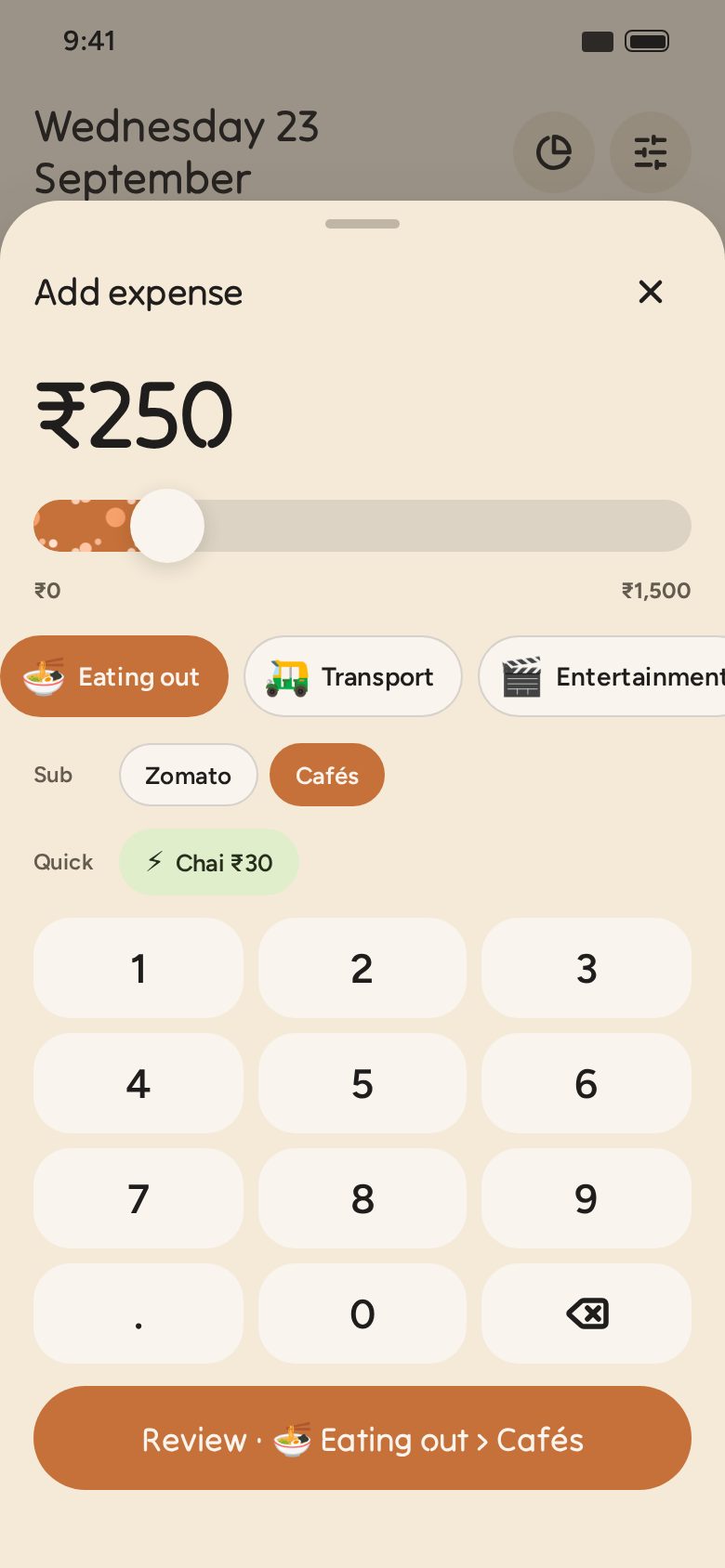
Type the amount or slide to it, tap a category, done. Save quick amounts like your daily chai, and fixed bills like rent get filed for you on the 1st.
Free · Works offline · No sign-up
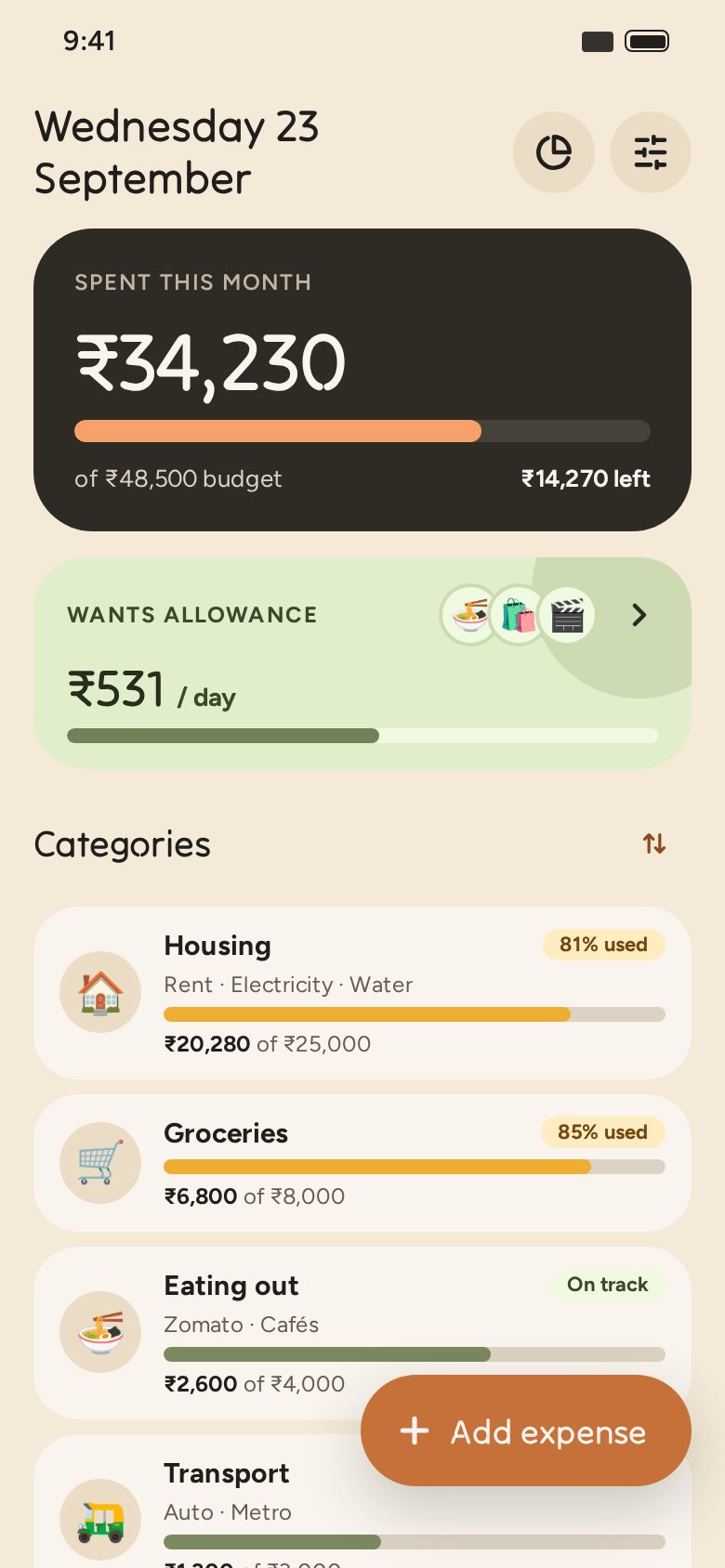
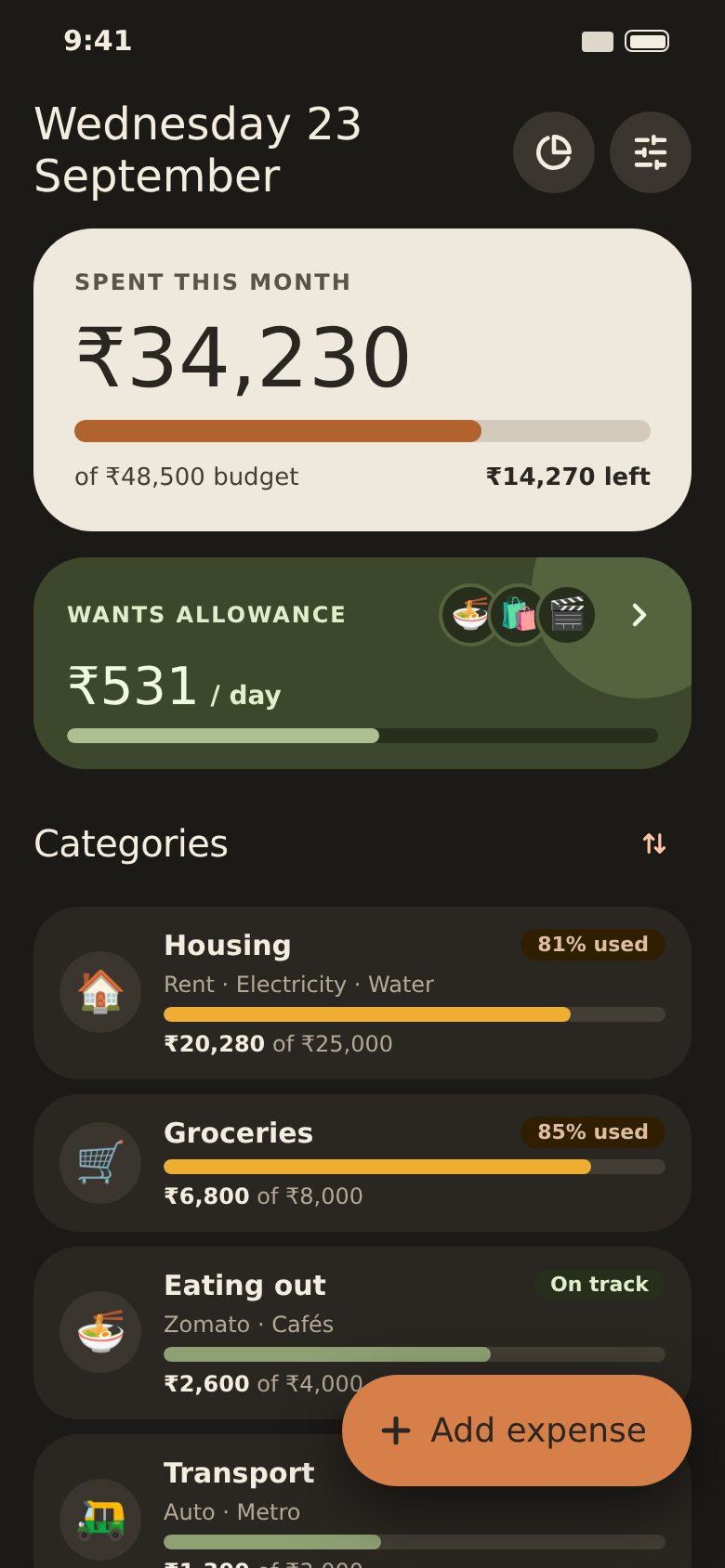
Envelope gives every category its own envelope of money for the month, like the cash-envelope method, on your phone. Log an expense in two taps, watch each envelope empty, and know exactly how much you can spend on the fun stuff today.
Works on Android and iPhone. Nothing to download from a store.
Type the amount or slide to it, tap a category, done. Save quick amounts like your daily chai, and fixed bills like rent get filed for you on the 1st.
Every category shows how much is left. It turns amber when you’re getting close and red when you’re almost out. You choose when.
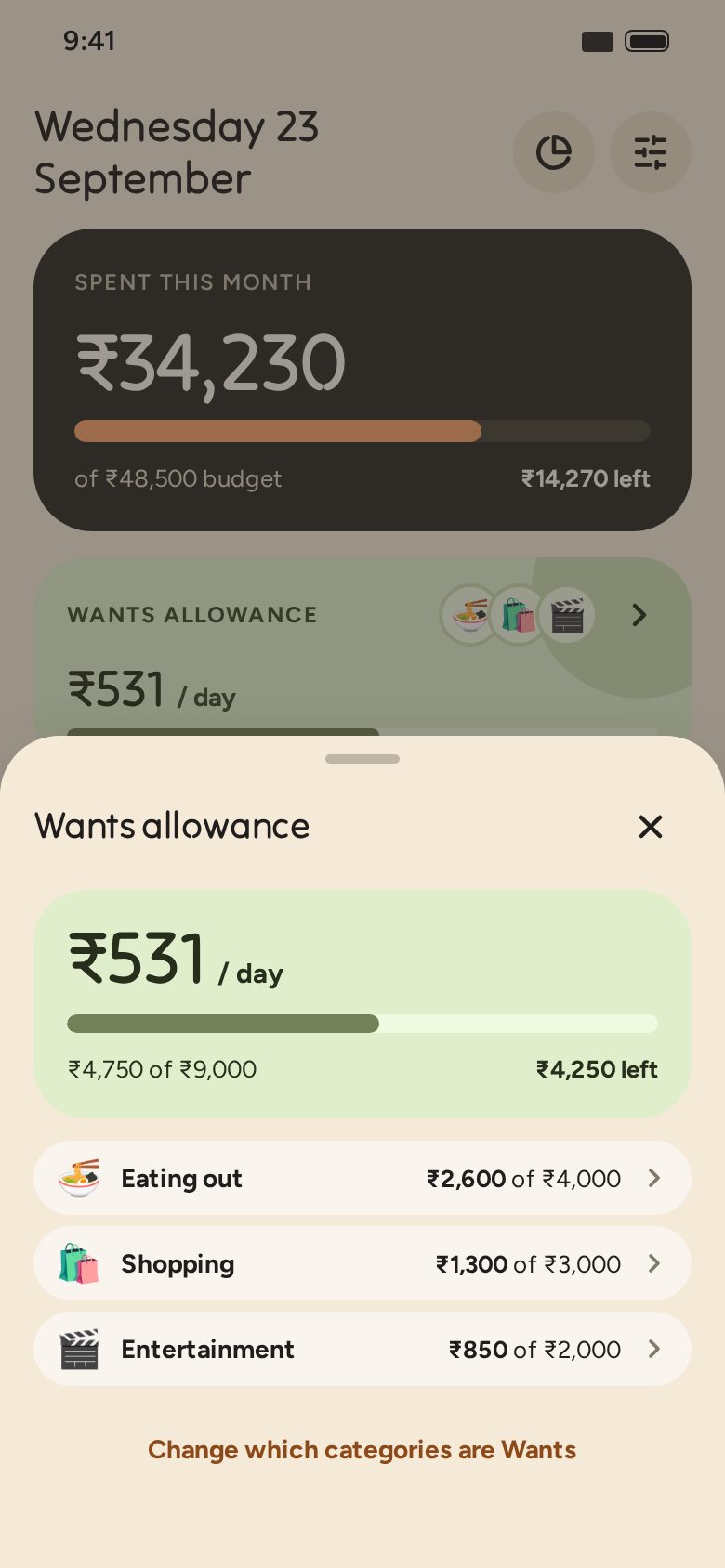
Mark eating out, shopping or movies as Wants. Envelope divides what’s left by the days left, so you know what today can take.
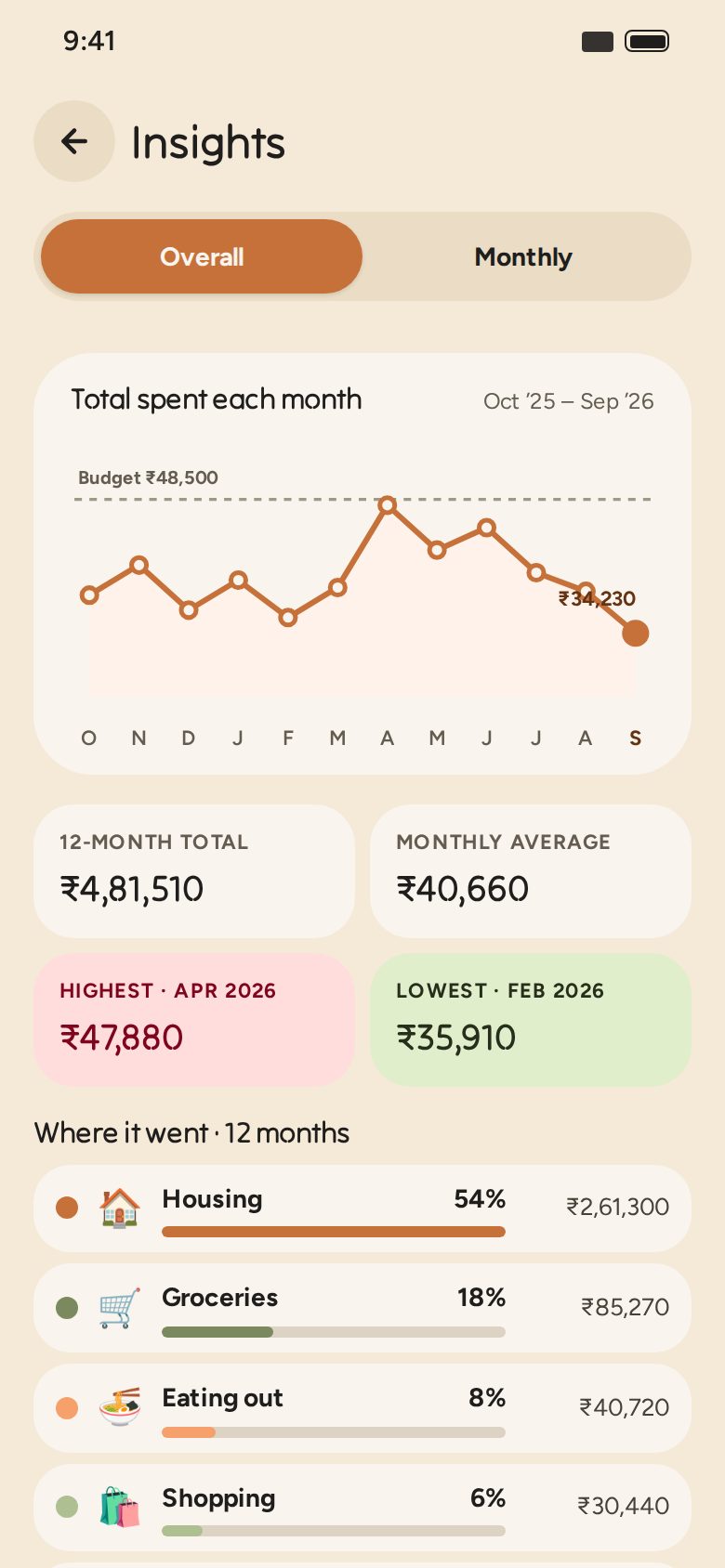
Month by month or across twelve months: your biggest slices, your highest and lowest months, and what changed since last month.
Real screens from the app, with sample spending.
No account, no login, no servers. Everything you log is saved on your device and works without internet. Want a copy? Export a spreadsheet any time from Settings.
It installs straight from the browser in a few seconds, and opens from your home screen like any other app.
Scan with your phone’s camera to open this page there.